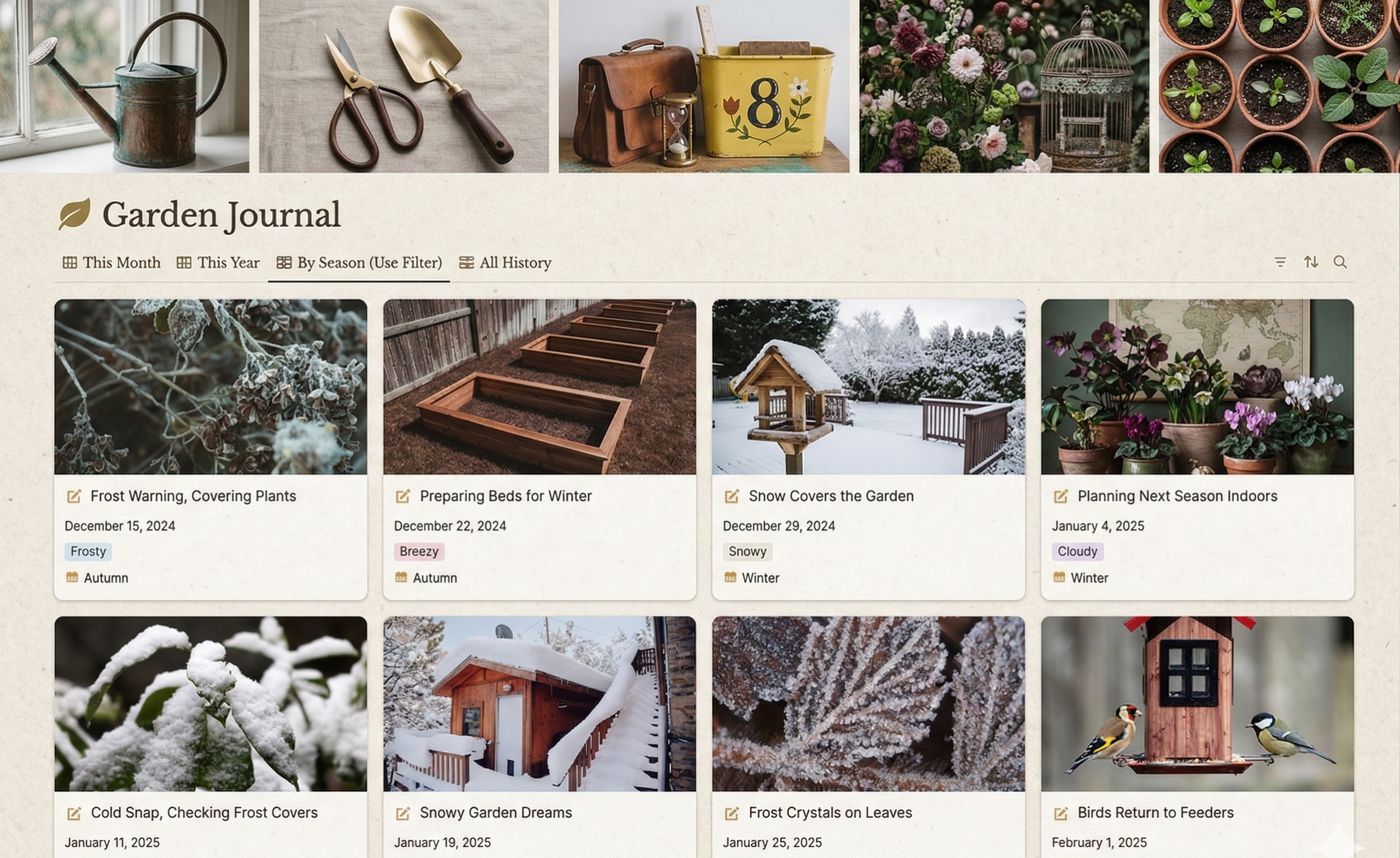
Gardeners encounter the same temptation every winter: placing an order for thirty packets of seeds in February, only to find in April that they have planted three varieties of kale and no tomatoes.
I redesigned my whole garden planning system inside Notion after five years of disorganized spreadsheets, lost planting dates, and one especially embarrassing season when I planted broccoli three weeks late. It resolved issues I was unaware I had.
Going digital isn’t the only distinction between a Notion garden database and conventional planning techniques.
Relational data is what makes it possible to link harvest dates to weather patterns, link seed variations to planting areas, and even recall which tomato variety did better than the others three years ago.
Why Notion works differently for garden planning?
Most gardeners start with paper journals or simple spreadsheets. Paper gets wet, spreadsheets become unwieldy, and both share a fatal flaw: they treat each piece of information as isolated.
Notion’s database structure allows you to create connections.
A single seed entry can link to:
- It’s planting history across multiple seasons.
- Specific garden beds where it thrived.
- Weather conditions during its growth cycle.
- Companion plants that share their space.
- Harvest yield data.
This relational approach transforms random observations into actionable intelligence. When you can filter your entire garden history by “performed well in clay soil” or “resisted powdery mildew in humid August conditions,” you stop guessing and start knowing.
Building the core database: the plant catalog
The foundation of any garden tracking system is a master plant catalog. This isn’t just a list, it’s the reference library every other database connects to.
My plant database includes:
| Field Type | Example | Why It Matters |
|---|---|---|
| Plant family | Solanaceae | Rotation planning prevents disease |
| Days to maturity | 75 days | Succession planting calculations |
| Spacing requirements | 18″ apart | Bed capacity planning |
| Depth to plant | 1/4″ | Direct seeding accuracy |
| Companion favorites | Basil, marigolds | Polyculture design |
| Problem companions | Potatoes | Contamination prevention |
| Seed depth | 1/4 inch | Direct seeding accuracy |
The real power emerges when you add formula properties. I use a “plant by date” formula that calculates optimal sowing windows based on my local frost dates, which I store as a separate database variable. When I enter “April 15” as my last frost date, every seed variety automatically updates its recommended planting calendar.
The bed management system
Garden beds are finite resources. Without tracking them, you’ll inevitably discover you’ve committed the same bed to three different crops in the same season.
My beds database contains:
Physical specifications:
- Dimensions (4’x8′, 30″ diameter, etc.).
- Soil type (amended clay, sandy loam, raised mix).
- Sun exposure (full, partial, shade).
- Irrigation access (drip tape, sprinkler, hand-water only).
- Year built/established.
Historical data:
- The previous three seasons’ plantings.
- Soil test dates and results.
- Amendment history (compost applications, pH adjustments).
- Problem logs (pest pressure, disease outbreaks).
The critical move here is creating a relation between beds and plantings. When I assign a tomato to Bed 3, that bed’s history automatically updates.
After three years, I can run a report showing that Bed 2 has hosted nightshades for two consecutive seasons, a clear signal to plant beans there instead.
The season setup: templates save spring
Every January, I duplicate my “Growing Season Template” and populate it with that year’s varieties.
This template contains:
- The variety shortlist: My best performers from previous years, filtered automatically.
- Succession planting calendar: Pre-calculated intervals for continuous harvest.
- Seed order tracker: What I need to buy versus what I’m saving.
- Bed assignments: A visual layout of where everything goes.
The template approach eliminates the blank-page paralysis. Instead of rebuilding everything, I’m simply adjusting proven systems.
Tracking throughout the season
Databases are only useful if you actually use them. My weekly garden maintenance involves a specific Notion routine.
Sunday morning assessment: I open my “This Week in the Garden” view, which filters tasks based on:
- Days since planting (time to fertilize tomatoes? 3 weeks after transplant).
- Days to maturity (harvest window approaching?).
- Weather forecast (cover the brassicas if frost is predicted).
- Soil moisture readings (logged from my cheap moisture meter).
This view pulls from three databases: plantings, beds, and tasks. A formula calculates that if I planted carrots on April 1 and they mature in 65 days, they should appear in “check for harvest readiness” around June 5.
The planting log: When seeds go in the ground, I record:
- Exact date.
- Soil temperature (critical for germination success analysis).
- Seed lot or source (helps track poor-performing batches).
- Planting depth and spacing are used.
- Weather conditions.
This level of detail seems excessive until you need to explain why your 2023 carrots germinated poorly while 2024’s thrived. (Turns out, soil temperature at planting was the difference—55°F versus 68°F.)
The harvest database: closing the loop
Most gardeners track what they plant. Few track what they harvest. This is the missed opportunity.
My harvest database connects to plantings and includes:
- Date harvested.
- Weight or count.
- Quality rating (1-5 scale).
- Days from planting to harvest (calculated automatically).
- Notes on flavor, texture, or issues.
When I harvested 47 pounds of tomatoes last September, I could trace exactly which varieties produced when. ‘Cherokee Purple’ peaked in late August; ‘Sun Gold’ kept producing until frost. That data shapes next year’s variety selection and planting schedule.
Real example:
In 2022, I planted three cucumber varieties side by side: ‘Marketmore’, ‘Lemon’, and ‘Armenian’. My harvest log showed ‘Marketmore’ produced consistently for six weeks, ‘Lemon’ produced heavily but only for three weeks, and ‘Armenian’ produced late but kept going until October.
The trade-off became clear: plant ‘Marketmore’ for reliability, ‘Armenian’ for extended season, and ‘Lemon’ only if I’m around to harvest heavily in that narrow window.
Without the data, I’d remember “cucumbers did okay.” With the data, I make strategic decisions.
The weather integration workaround
Notion doesn’t natively pull weather data, but I’ve created a manual weather log that connects to plant performance. When I notice blossom end rot on tomatoes, I check the weather log. If I see a dry spell followed by heavy rain three weeks earlier, I’ve found my culprit.
I maintain a simple weather database with daily high/low, rainfall, and notable events (hail, late frost, heat wave). This links to plantings, so I can filter “all plantings that experienced a late frost” and see which survived.
Mobile access in the garden
Notion’s mobile app means I don’t need to remember everything. I carry my phone to the garden and:
- Scan my task list for the day.
- Log plantings immediately (no forgetting details).
- Record harvest weights using my pocket scale.
- Photograph issues and attach them directly to plant entries.
The photo attachment feature has proven invaluable. When I see unusual leaf damage, I photograph it, tag the plant, and research later. By the time I identify the pest, I already have documentation of its progression.
Common setup mistakes
After helping several gardener friends set up their own Notion systems, I’ve seen the same issues repeatedly.
Overcomplicating at the start: New users create twenty databases before planting a single seed. Start with one database—the plant catalog—and add others as you need them. I didn’t build my harvest tracker until my third season, and that was fine.
Ignoring relations: Some gardeners treat Notion like a fancy spreadsheet, using dropdowns instead of relations. This breaks the connection between databases. Always use relations when data needs to connect across categories.
Inconsistent logging: The most elegant database is useless if you don’t maintain it. I schedule fifteen minutes every Sunday morning for garden logging. It’s non-negotiable, like watering.
Adapting for different garden sizes
Small space (containers or 4×4 beds): You need less complexity. My container gardener friend uses just two databases—plantings and harvest—and tracks beds as a simple text field. The full bed rotation system is overkill for five pots.
Market garden scale: You need yield tracking by square foot and variety performance metrics. Add databases for seed inventory (with cost tracking) and market sales to connect production to income.
Community garden plots: Add a shared database for plot assignments and communal tool checkout. Multiple gardeners can edit simultaneously, making coordination easier.
What can’t Notion do?
Notion lacks native timeline visualization for succession planting. I export planting schedules to a calendar view occasionally, but the ideal solution would show overlapping plantings graphically within Notion.
Offline access remains limited. If you garden where cell service doesn’t reach, you’ll need to sync before heading out or use paper backups for critical information.